
How to Sync Your Grades
Follow this 4-step guide to securely import your academic history and unlock the full power of the Insight Engine.
Log in to My Account
Log in to My Account
Go to your Concordia Student Hub and log in to your account.
/STEPS/STEP 0.jpg
Place image here
Navigate to your student account page.
Navigate to 'View My Grades'
Navigate to 'View My Grades'
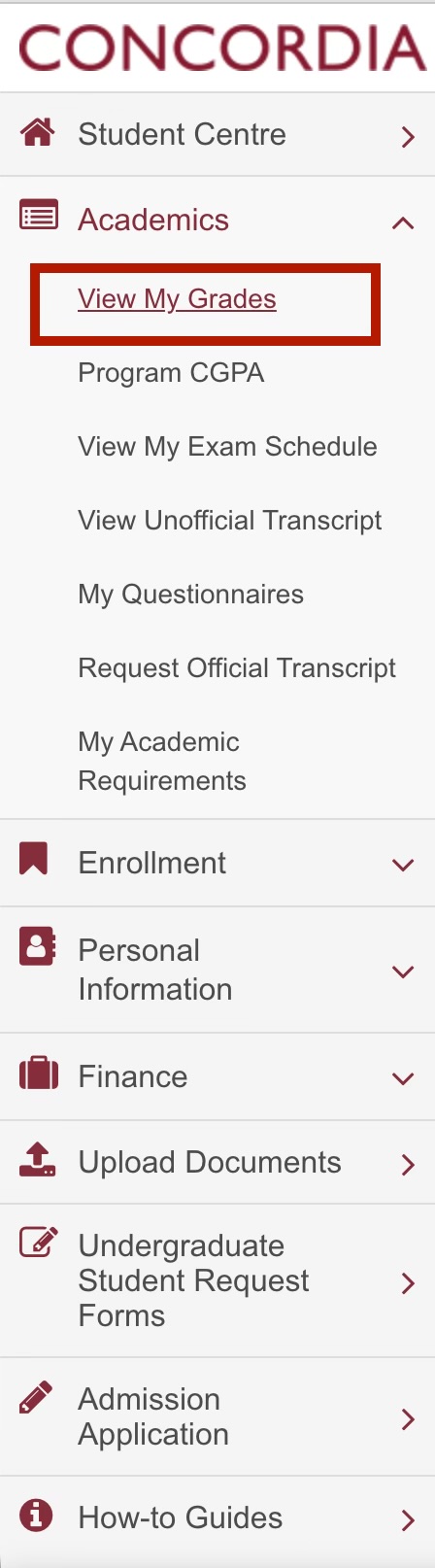
On the homepage left panel, expand the 'Academics' dropdown and select 'View My Grades'. Then select 'Change Term' at the bottom to view all your terms.
/STEPS/STEP 2.jpg
Place image here
Select 'View My Grades' from the Academics menu.
Select Your Term
Select Your Term
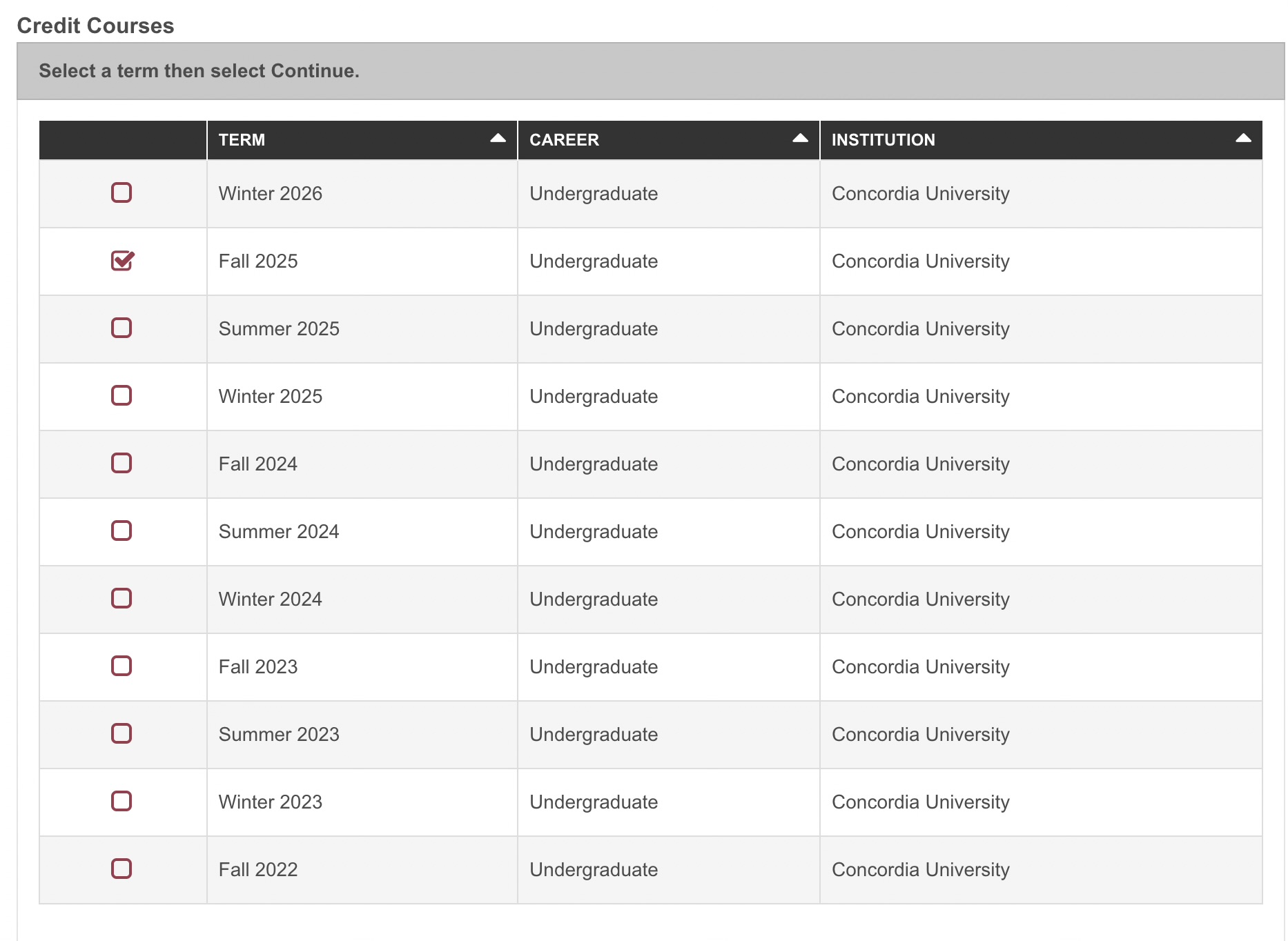
After clicking the Change Term button, select the desired term from the list and hit Continue.
/STEPS/STEP 3.jpg
Place image here
Choose a term (e.g., Fall 2025) and click Continue.
Select Grade Distribution
Select Grade Distribution
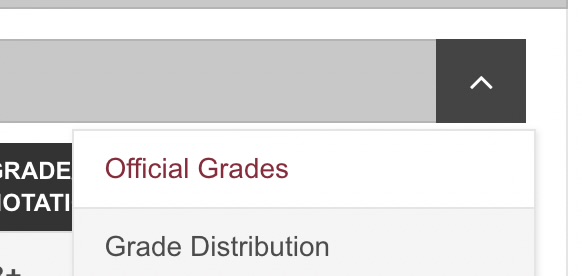
On the right of the official grade, click the dropdown and select 'Grade Distribution'.
/STEPS/STEP 4.jpg
Place image here
Select 'Grade Distribution' from the dropdown.
Click 'Sync Grades'
Click 'Sync Grades'
You will see a floating 'Sync Grades' button on the top. Click on it. You will then see the popup 'campus.concordia.ca says'. Click OK to upload.

/STEPS/STEP 5.jpg
Place image here
Click the Sync button and confirm the popup.
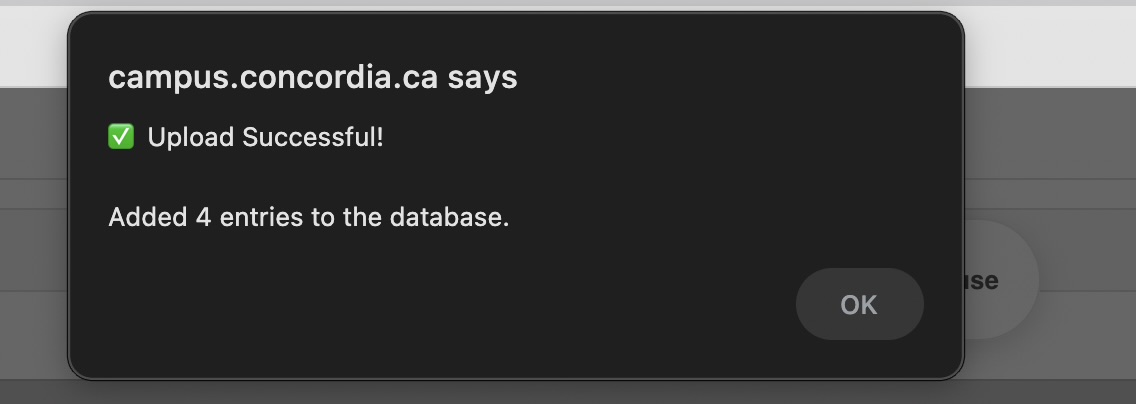
Upload Successful
Upload Successful
You will see a new popup that says 'Upload Successful'.
/STEPS/STEP 6.jpg
Place image here
Upload process completed.
Repeat for Other Terms
Repeat for Other TermsComplete
Repeat these steps for all other terms. So we have more data and we can be more accurate.

/STEPS/STEP 7.jpg
Place image here
Improve the dataset by syncing all your terms!
Frequently Asked Questions
Is my data safe?
Absolutely. We do not collect your Student ID, Name, or even your specific letter grades. We only scrape the Grade Distribution Table (how many A's, B's, etc. were in the class) to build our analytics.
Can I get banned?
No. The extension works locally on your browser. It simply reads the HTML of the page you are already looking at. It does not perform any automated bot actions that would flag security systems.
Ready to contribute?
Back to Insights Dashboard